
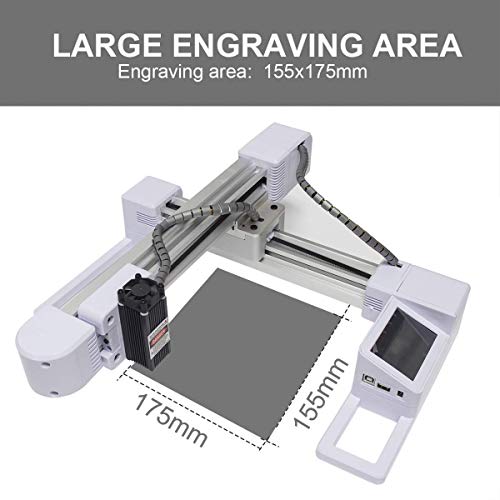
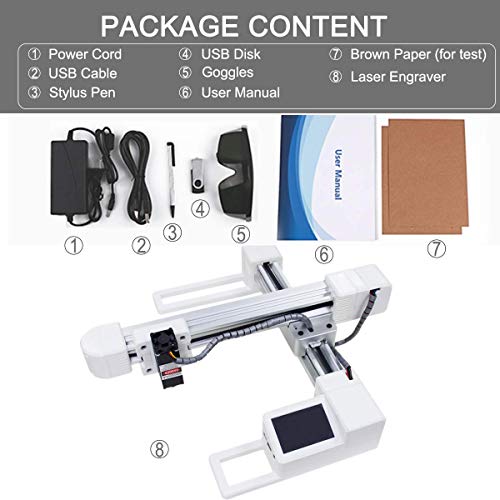

- Positioning Accuracy: 0.02mm Engraving range: 17.5*15.5CM(6.8*6.1 in), Engraving height: No limit
- 3000mw DIY desktop blue laser engraving machine is ideal for amateur laser engraving usage with grayscale printing,low-light positioning and freedom positioning functions.
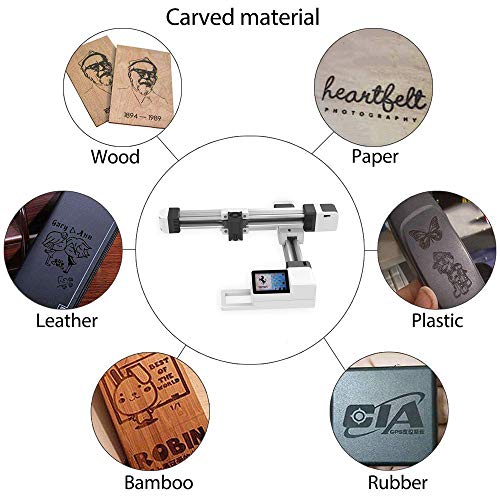
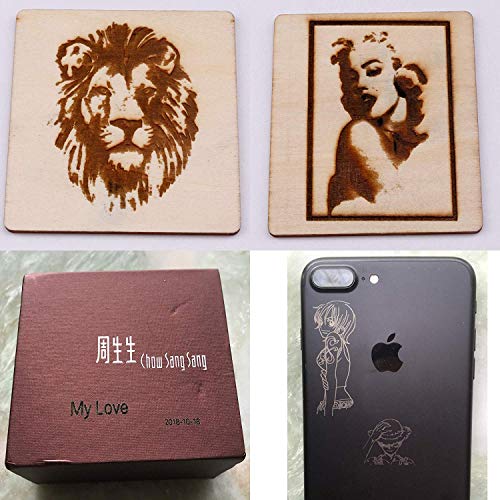
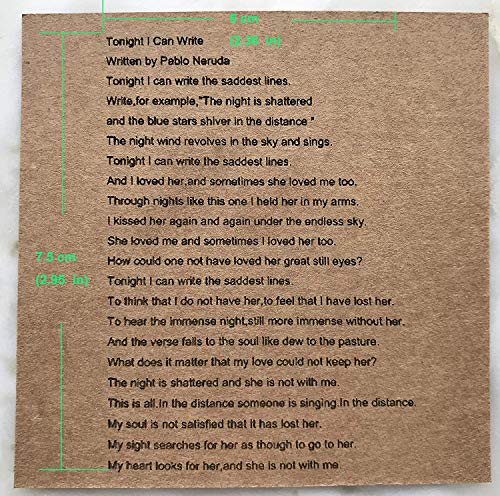
- carved more material. It can carve the IC card, mobile phone case, wallet, dark plastic, wood (thick or thin), bamboo, kraft paper, acrylic, transparent and other things can be carved, but must first do black Paint coat.(It can’t carve metal or glass).
- Operating System: WIN-97/03/7/8/10 (▲Windows Vista / XP)Picture format: JPG / GIF / BMP / DIB / ICO / CUR /PNG
- Greater Power, Faster Speed, More Accurate Precision, If you are a true Maker, DIY Handyman or an artist, this machine offer a great way to that
-
Information
-
Twitter
-
Pinterest
-
Youtube
-
Facebook
Quintin Yates
A great piece of equipment with large draw area
Nadine Dauphin-Simmons
Shes a worker
After a few days of frustration with setting this machine up, a friend that's tech friendly managed to get it running, and now it's as smooth as silk. A few etchings, dialing the parameters for the cleanest shot, and this machine is off to the races. Great product, quiet, and somewhat fast. Controls are uber simple, and once you get any bugs figured out, all is golden. Great product for a fair price.
Kaori Miyawaki
Best hobby machine and great product support.
Bought this machine for its offline capability. Would have given it four stars for documentation. For instance, nowhere does it say that a 32gb memory stick is the largest it can handle. Not a problem...just not mentioned. I gave it five stars because of the outstanding support. There is a learning curve. An email address is given for support and I made extensive use of it. Replies were always within 24 hours. The support person is in China and English is not his/her first language. But we were able to communicate effectively. Probably the best product support that I have had the pleasure of using. For hobby use, this machine and vendor is the one to use.
Alfonso Lopez Jr
Easy to use
Comes almost fully assembled(8 screws). Started engraving withing 2 min of assembly. Extremely easy to use. Perfect for small jobs and beginners.
Walter Purdion
Warning- you will want to engrave everything in site if you get this!
UPDATED Review: I'm still stoked about this thing, very happy I bought it. I made a stand and have engraved several bowls and pens so far. A few updates: The plastic green thing is an additional eye shield, like I thought. I emailed the company and they confirmed. The offline use can be a little picky about the bmp files it likes. I'm on a mac- photoshop elements BMP files work, Pixelmator BMP files don't. Also, it seems like it wants files in 96dpi, but it ignores the inches conversion. It treats 500 pixels as an inch. So if you want a 2"x2" image engraved, make it 1000px by 1000px at 96dpi. The math doesn't add up but this is what works for offline use. I just need to figure out why the pixelmator BMPs aren't accepted. Original: I’ve only had this for a week but so far I’ve been very happy with it. I’ll update if I run into any issues. There are some other detailed reviews here so I won’t repeat everything but I’ll add a few thoughts. The main reason I bought this laser over other ones was the open base- I plan on using this to engrave the bottom of turned wood bowls and I needed something I could put on a stand over different sized bowls. I haven’t tried this yet, and I’ll update if I run into problems, but if my first few test runs are any indication this is going to be perfect. So far I’ve only used the offline mode and it’s been great. I have Macs, so no native software. I do have boot camp running on a Macbook so I’ll try it eventually, but right now I’m creating images with Photoshop elements and saving them as 500dpi BMP files on the jump drive and going from there. No issues. I haven’t played with grayscale yet but that looks promising. The offline feature was a major plus for me- this won’t be rendered useless by computer operating system updates in the future. One concern I had was how easy it would be to position, center, and align the laser. Well- with a first few attempts it’s actually very easy, I’m putting tiny lines of text on 1/2” wide pen barrels, and it’s working great. I did build a holder jig to make it repeatable. Once you load your image the laser centers itself, there is a button that will outline the area to be engraved. The laser moves in a rectangle with the light on, but not burning, to show you the margins. I wish this moved a little slower but you can get a good idea of alignment if you’re patient. I think I’m going to build a thin base that fits between the legs of this thing and etch a grid to help with alignment down the road. I had a question and sent an email and had an answer in 24 hours so that’s encouraging. Someone asked about the green plastic piece in the box, I think it’s a filter similar to the glasses but I’m not sure. It’s the same color green. I don’t know if it’s for engraving or just protecting your eyes. The cardboard included is a great test medium.
Tahesher PinkishSmilez Anderson
Good value...easy to learn
I bought this machine knowing nothing about laser engravers. It serves my purpose well. Was pretty easy to learn after playing with it a while. I was going to have a branding iron made for my logo, but now I can do custom engraving for people I make cutting boards for.
Teri Pierce
I use it without a computer at all FABULOUS
Ok, before purchasing this unit, I read lots of reviews and they are all over the chart, so my expectations were low. I use this unit to customize my beehive wooden components and it's working absolutely swimmingly. I have had this unit for over a month and tested it on several surfaces, including wood, aluminum, leather, faux leather with fantastic results. I can't show the work because it has identifiable markings, but I will share what I've learned while using the unit. Easy to put together! You'll need an Allen wrench and Philips head screw driver that is all! The Allen Wrench is included but the included screw driver won't fit the screws. If you don't connect it to your computer ( I did not ) then you use a usb-thumb drive to transfer images from your PC to the thumb drive and then plug the thumb drive directly into the unit. DIMENSIONS: Width: 18 inches front to back: 17 inches Max Height: 6 and 1/4 inches (table to top of laser unit) What did I burn images on? My aluminum "blackout" Blue Yetti Microphone amazing quality! I used the unit at 40% laser power and depth of 6. I also burned my custom name and logo onto my leather iPad Pro Case and it came out PERFECT! I used it at 10% laser power and 4 for depth. Woodwork - I have used it on Cedar, Pine, Hoop Pine, and Maple - pine sap runs out when burning pine and you can get really DEEP burns on wood. If I set it at 100% laser power and 20 for depth, it cuts 1/8" deep into the pine and that's dramatic. The wood burns off in a fine smoke that you need to be prepared for (vent/open window). I tried to burn it out! I ran the unit for several hours while doing a rendering on a piece of maple. The image was 8 x 10 inches and took a full 4 and 1/2 hours to burn. Depth was on 10 and the Laser was at 75%. Still going strong! I did buy canned air to blow out the laser cooling fan as it definitely dusted up. To date, I have burned 43 projects with zero problems. For the highest details, I recommend using the Grayscale setting, for strongly contrasting signs etc... use the Black and White. I use BMP as the file save format. You can open a JPEG, and then "Save As" BMP which stands for bitmap. For the unit to recognize your images, you MUST put them in a folder named "bmp" and then put your images in that folder of they will not show up on the screen of the laser engraver! I definitely recommend this engraver! Inexpensive and you can run it all day long! IF it finally breaks down, I will be back to update my review. GLASSES: I do not trust the included very poor quality glasses. I recommend getting grade 6 brazing glasses to protect your eyes and better yet, set it up, align the item and then DO NOT look at the working laser! Brazing glasses will have better quality lenses so you can do a better setup and laser focus.
Cindy Parent
This Laser ROCKS! Awesome Customer Service
Last year I bought one of the 40w CO2 lasers and it was just too rough around the edges for what I wanted to do. I picked this laser up after much research and boy was it a great decision. The videos and images you see on my review are within 30 minutes of delivery, it was really easy to set up and really easy to start engraving... Connected right to my Windows 10 machine and it was up and running. The portrait on my wallet was done at 100% power and only 3% depth. It could burn MUCH deeper, but 3% was all I needed to use for leather. Packaging was perfect, it felt high quality for sure. Customer service is great, responsive even through the holiday weekend(Thanksgiving). If you are on the edge about this laser I highly recommend it.
Wayne Kirk
I really like this Laser engraver, easy to use.
Georgia Papathanasios Siemion
Love this laser
I love this laser, it is exactly what I need. I had it up and running within a half an hour. Very easy to use and it also accepts my JPEG files from my own artwork including any text format.