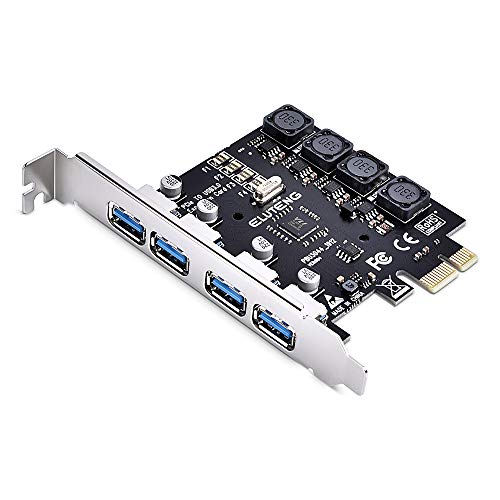
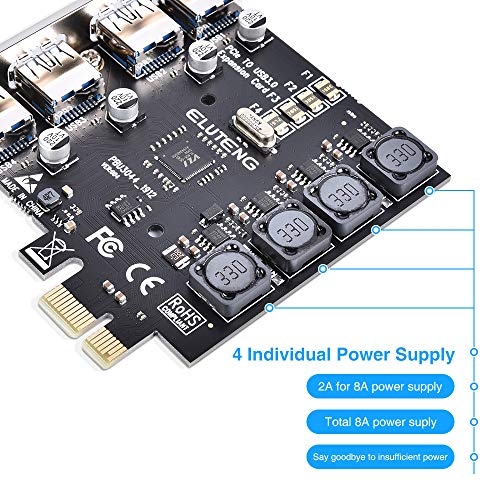
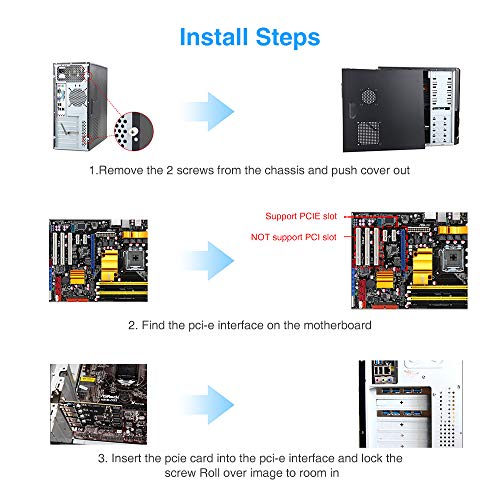
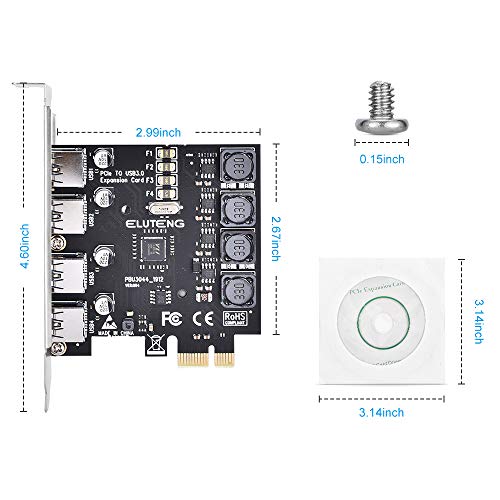

- Add four USB 3.0 Port to your to your PCIe-enabled desktop easily with PCI Express to USB3.0 Controller Adapter. Each interface owns individual 2A power supply, 4 interfaces work independently of each other, total 8A. No additional power cord is required. Note: Not Support LINUX system
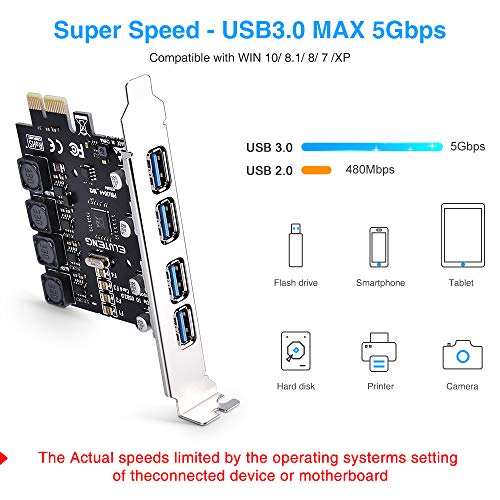
- 【High Speed】 Adopt NEC Main control chip, to reach USB 3.0 Max 5Gbps transmission speed, 4 USB 3.0 port can work at the same time. Downward compatible with USB2.0.
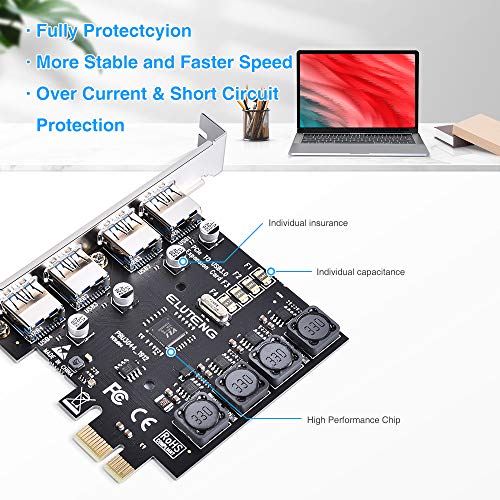
- 【Fully Protection】Each interface has separated insurance, with over current & short circuit protection. Protect your devices and computer.
- 【Stable & Faster】4 conductive polymer material capacitors to ensure a more stable power supply of each interface. Enjoy copying movies, data files, music, photos between USB devices and the computer at a faster speed.
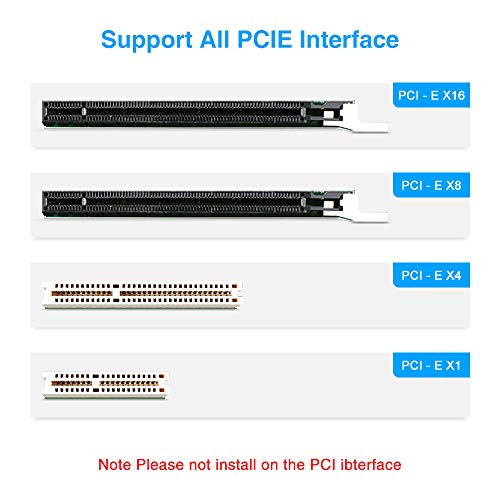
- 【Wide Compatibility】Support PCIE X1 / X4 / X8 / X16 slot. The WIN10 system is plug-and-play, no driver installation is required. If it is not available, please provide a screenshot of the device manager or replace the slot. The computer may not recognize it. Win 7/8/XP/Vista Need to insatall drive; Win 10 No drive required
-
Information
-
Twitter
-
Pinterest
-
Youtube
-
Facebook
Janet Beattie
Windows 7 64bit with New Motherboard Z390 Intel 8th and 9th Gen CPU Install (Installing modern MOBO)
As someone said, "One caution, if you are running Win 7, make sure you use the file "VIA_5.10A.EXE", not the other drivers, otherwise it won't work." That's true! I upgraded CPU/MOBO/RAM and Intel and Microsoft took away Legacy USB 3.0 from Windows 7, so NO USB ports work on MOBO! Legacy or PS/2 serial ports mouse and keyboards may work. There are a few hacks to bypass no USB. This is the next best repair. Make sure you install this on PCI-E X1. I did not try to install on the X4-X16 like the instructions said. The order of installation if you don't have USB keyboard and mouse working: 1-Turn off computer. Open case. Insert this USB card into PCI-E X1. 2-Turn on computer and after BIOS (or when MOBO Logo comes on, press F8) to (choose) tell the computer to bypass Digital Signature Verification, so that you can have a USB keyboard and mouse working while you install the USB card. 3-Once into the windows main desktop, put disk in, look into the USB3.0 folder, then into the VIA folder, then into the Win7 folder, and click on VIA_5.10A and click on it to go to setup. 4-When setup finished, restart computer (after plugging in USB mouse and keyboard). Now, you should have functional USB ports (the ones from the card).
Reynaldo Quillao
GREAT USB card, but it can take some time to get it to work correctly!
It took me over an hour to get this card to work right, but it had NOTHING to do with the card itself! With this card installed, I now have *13* USB ports on *3* installed SATA-USB cards! Needless to say, Windows 10 took it's own, sweet time in accepting these new ports. A lot of trial-and-error to get everything plugged in just right. The nice thing is - I now have 6 external hard drives plugged into these cards, & *12* hard drives overall! Your system is probably a lot less complicated than mine, but if you encounter similar problems, I hope that this review encourages you to continue moving things around until they all work.
Angelica Grammann
Simple to install, up and running in no time.
This card was simple to install. Be aware that it is very firm when installed in the PCI-E slot, so you have to use more than the usual pressure to seat the card. Once in, I started the computer. W10 Plug-n-play detected it, installed the drivers, and I was up and running. Total time spent: about 10 minutes. I've been using it for several days. Speed seems to be normal for USB 3.0. I have two 1TB hard drives plugged in right now and they both are working well. One advantage to this unit is that you don't have to use a separate power supply. It has run my hard drives with no problems.
Rebel Jutt
Great, reliable and cheap
It does not require extra energy cable, i have transferred 4tb from one drive to another with this without any trouble. I would buy it again. Works perfect and easy install windows 10 recognized it right away. *Have been using it for a couple of months now performance is still good. Would buy it again and recommend it.
Cyndi Lu
Wow... USB 3.0 is Fast Compared to USB 2.0
I was surprised to see this card NOT require an external power supply. Other cards require a SATA or molex power connector. I use this card to connect external Western Digital USB drives to my computer. Using the computer's USB 2.0 connectors, data transferred about 30mpbs. Connected to this card using USB 3.0, the data transfer rates are now near 120mbps. I've had these drives for a few years. All I can think now is, "why did I not buy a USB 3.0 card sooner?"
Jared Hans Atienza
I almost didn’t get it installed...but did.
The card came today and installation was a bit “ify” for me, to say the least. The item comes with a piece of paper inside with poorly translated Chinese to English instructions. I ended up going back to the Amazon product page and read where it said to run the VIA install program for Windows 7. Once done, you must restart your PC to get the card drivers to install. I have not tried a USB 3.0 device to test the rate of the USB card but will soon.
Mariella Busuttil
Works out of the box on Linux
I wanted to add USB 3.0 ports to an old computer running Linux (Ubuntu 18.04). I plugged this card in. Linux already had the needed driver, the standard xhci_hdc. The chip on the card is a VIA VL805. PCIe is gen2x1. It worked fine right out of the box and manages to power a google coral USB TPU.
Gail Conley
Plug and play!
Plug and play! I installed it on one my pci sockets on my Lenovo pc, and rebooted the pc, and voila! I have added usb 3.0. My pc picked It up no problem. Did not have to download anything, Windows 10 did it for me. I got this cause my pc came with only 4 usb if the back. Two 2.0 and two 3.0, now I was able to add more 4 more 3.0 usb. Very happy
Rewe Milan
Basic and inexpensive
Does the job with no power supply connection required
Nawar Muntaha
Works great !
Windows 10 Loaded drivers automatically. Installed on the smaller PCI express slot. Restarted the computer and wham USB 3.0. Good USB to USB raw data transfer rate. 2.0 was like 15-25 MB/s , this 3.0 transferring between two external hard drives is like 50-90 MB/s.