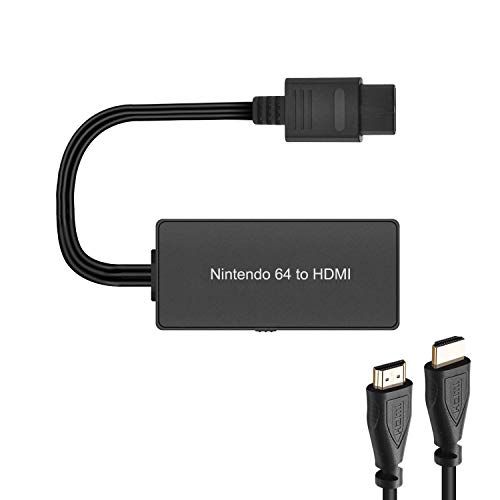
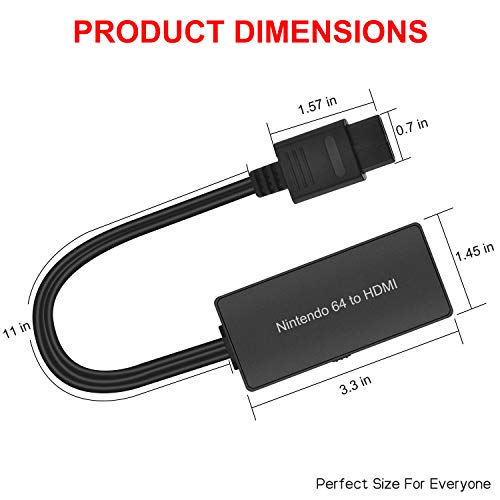

- ※Convert N64 Video signal to HDMI signal, make it easy to connect the Game console to TV.
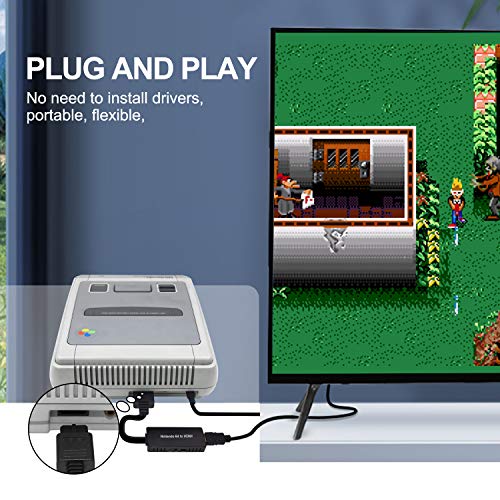
- ※Plug and Play, No need to install drivers.
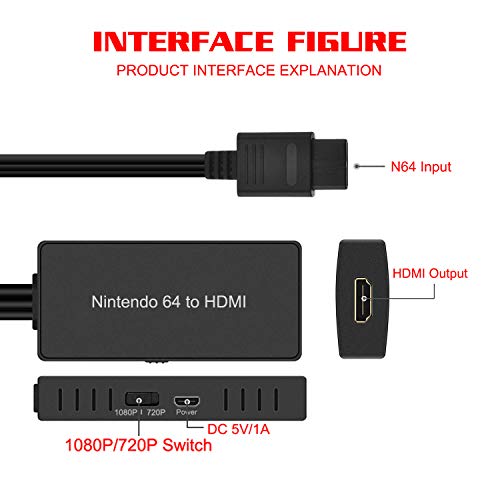
- ※Support 16:9/ 4:3 Switch.
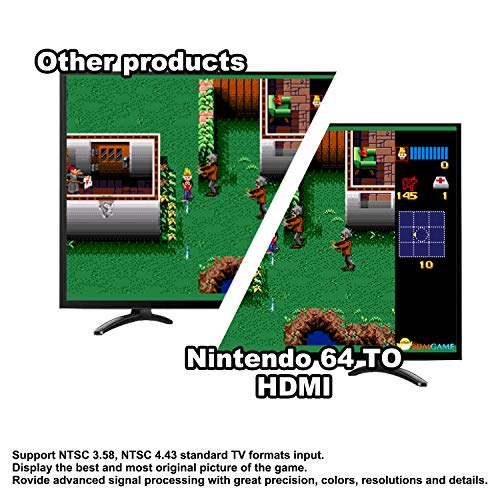
- ※Provide advanced signal processing with great precision, colors, resolutions and details.
- ※Note: HDMI cable is only compatible with N64, SNES, NGC.
-
Information
-
Twitter
-
Pinterest
-
Youtube
-
Facebook
Tara Gordon
A solid Composite to HDMI device for Nintendo consoles
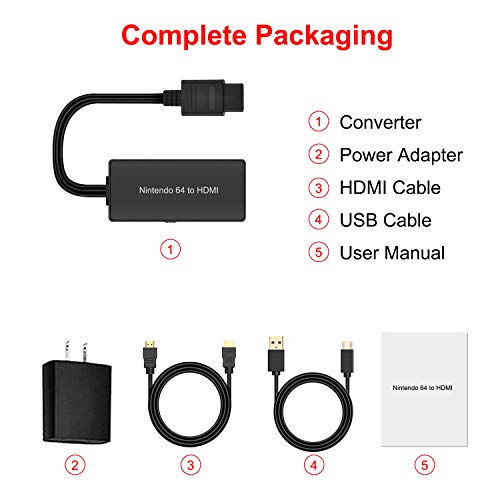
As a video game collector, I’m well versed in the various options for hooking up older consoles to modern TVs. Modern TVs are generally not equipped with the hardware needed to display the older image resolution that these consoles output. A HDMI converter such as this one bridges that gap by converting the image to something the TV can read. The SNES, N64 and Gamecube use the same cables, so this particular solution could be used with all of them. The quality of image your TV displays has to do with what type of signal is coming from the console. Which one is used will determine how clean the image is. The following are the signals available in the above mentioned consoles: • RF (coaxial) through the TV’s antenna port. This usually involves using the RF adapter box that comes with the console. It provides the lowest quality image, resulting in muddy images and a lack of subtleties in color. • 2. Composite video RCA. This uses a cable with three ends, Yellow for video, red and white for the stereo sound output. Composite is better than RF but will display some of the same issues as RF to lesser degree. This converter uses this signal. • 3. S-video. An S-video cable also has three ends, but in addition to the two stereo connectors, there is a special end that plugs into a television S-video port. S-video provides the best image quality that the SNES and N64 could output. It works by splitting the color and monochrome signals into two channels. Thus, the TV is able to more accurately display them. You get a cleaner image, subtler tones over color and crisper edges. • 4. Component. Only early Gamecubes could do this one. Component is an early HD signal that splits into three colors, one connector for each. This is the best resolution a Gamecube can output and is actually compatible with most modern TVs (if you can find one of the super rare component cables). This HDMI converter uses the second signal, composite, to convert and output to the TV. As a result, the image isn’t the best you could possibly get from your unmodified console. To do that, you’d want to get an S-video to HDMI converter. Stand alone devices are available for a bit more than this device but you’d need to also find an original S-video cable for the console, meaning you’ll spend more for that solution over this one. You can also get custom made all in one devices, but those are only available on gaming sites and even more pricey. THE REVIEW: So, for what it is, how is this device? Out of the box, you get the composite to HDMI converter, an HDMI cable, a USB cable, a USB power plug and an instruction sheet. The converter does require power to operate, so you will need to plug it in, though many modern TVs will have USB port on the back you can plug into so you don’t have to draw from an electrical outlet. Setup is easy. They put everything in the box that you need. As an all in one solution, you can just hook it up to your console and TV and play. It’s that easy. Image quality is as expected for composite. I was sort of impressed because a lot of these devices are mediocre at best. This one does a pretty decent job of it with an image that is about as clean as you might expect from a composite signal. You’ll definitely want to play around with your TV’s settings for the best image as some stock settings (Movie, Game, etc) will wash out the colors pretty badly. In terms of latency (that is the time between the console making the image and it appearing on the screen), this device doesn't seem to contribute to the problem. Much of the latency issues you might have will be related to the TV as opposed to this converter. Other things of note include the switch on the converter that allows you to change the display from 16:9 to 4:3 image size. By choosing 16:9, the image will be stretched to fit the screen. Bottom Line: This is a great composite solution for modern TVs and compatible Nintendo consoles, but it is not the best option out there in terms of image quality. That said, given its affordability, I think you could do a lot worse for options that provide a complete solution for hooking your old consoles up to a modern tV.
Evangelina Dela Cruz Lacsina
Works well ... only couple of minor problems
I previously had tried a non-HMDI adaptor for the GameCube and it simply didn't provide what I wanted (mostly clarity). This product provides good resolution (considering original product design) on a 50 inch television. It is extremely simple to set up four connections: HDMI to TV, HDMI to adaptor, connection to GameCube, and power to the adaptor). There are three minor problems that don't diminish my experience or enjoyment. First, the adaptor gets warm (not hot) if you leaved it plugged in all the time. So, I've started to unplug it after every use. Second, the sound wasn't coming on after I powered off the GameCube and TV, but I started to disconnect the HDMI and it reset. But even better was that by unplugging power to the adaptor between uses, I always had sound at startup. Third, the widescreen (there are two options wide and standard screen) had edges on the side that didn't appear. This is a minor problem for games that use the very edge of the display. Given that I can use the GameCube effectively on my TV with an HDMI connection, it's really a non-issue (and doesn't deserve a reduction in stars). This is a buy-with-confidence based on about a three week use of the product.
Leno Fountain
Works! Thankfully can use my vintage console now!
It's getting rare to find a TV with anything other than HDMI inputs now, and when my last old school TV died and was replaced- oh no! My vintage console doesn't output HDMI and the TV and my relatively new home theater receiver don't support analog/composite. This device cured that problem. There's two aspect ratios selectable and be warned- it will potentially cause your TV to switch inputs when the console boots or restarts, as no video signal from the console makes the TV think it's off and many TV's switch inputs when that happens. The quality of the pic is good, and my receiver upscales it ok. So far, it's been working well.
Fidza Hamdan
Great
The guys that make these things are life savers. It's so great being able to play those old consoles on the newer TV's. There's always plenty of HDMI ports, but most of the time you're lucky if you can find a single component input. The sharpness coming out of this is great. There's no static, and no blending. Everything looks sharp. It does require power through a USB port. I have it plugged into my USB port in my TV. Overall a great product. Highly recommended.
Tiffany Marie
Easy, Effective
I couldn't believe my luck when I dug my N64 out of our crawlspace. It was like finding long lost treasure. Eyes aglow, I fixed to hook it up and relive parts of past lives... But the hookups don't work with modern TVs or amps. I was surprised at the depth of my disappointment. It's stupid, I know, but still... Enter this little beauty. It's so simple: Plug it into your N64. Plug the other end into the HDMI input on your TV. Instant conversion. It's that easy. I was hacking and slashing my way through Gauntlet's dungeons in no time.
Jamie Biancalana
Converter
If you want to run your antique Nintendo 64, first released in 1996, along with a more modern HD TV, then this Nintendo 64 to HDMI Converter will enable that. The converter comes with all the cables that you need, including s USB power supply. The result is a decent display. What more can you ask for?
Kevin Robinson
Works really well for HDTVs
I can't plug my n64 into my Vizio TV since it is an unsupported resolution (I guess old resolutions just don't work on new TVs). With this, the tv sees it as 1080p and lets me play n64 on my TV. The latency seems pretty decent too, It is really unnoticeable when you're playing most games, except maybe smash, but still if you're just casually playing, This is perfect.
Scott Hines
Easy to install!
All of the needed cables are included with this device, one thing to keep in mind is that it does require it's own seperate power. However, a usb ac adaptor is included . The advantage of using this cable versus the standard cable that comes with the N64 is better picture and sound. I like these devices because they are also helping to ensure that future t.v.s will still work with classic systems.
Rebeca Shreve
I love these so much I have them for all retro consoles
I have one of these for ALL my retro consoles now. They are awesome. It really cuts down on wire clutter so it's a lot easier to avoid a cable jungle behind the TV. It doesn't upscale the output in any way (didn't expect it to), it just allows you to use your consoles with newer TVs without getting bulky adapters or messing with all the silly composite cables. They work great!!
Lisa Keyser
Simple and Functional
This device is an easy way to hook up your N64 or your Gamecube to a TV via HDMI. It doesn't make the picture quality any better, but it does work right out of the box. Keep in mind that this does need power. If you need to convert your signal to HDMI then this will work just fine.